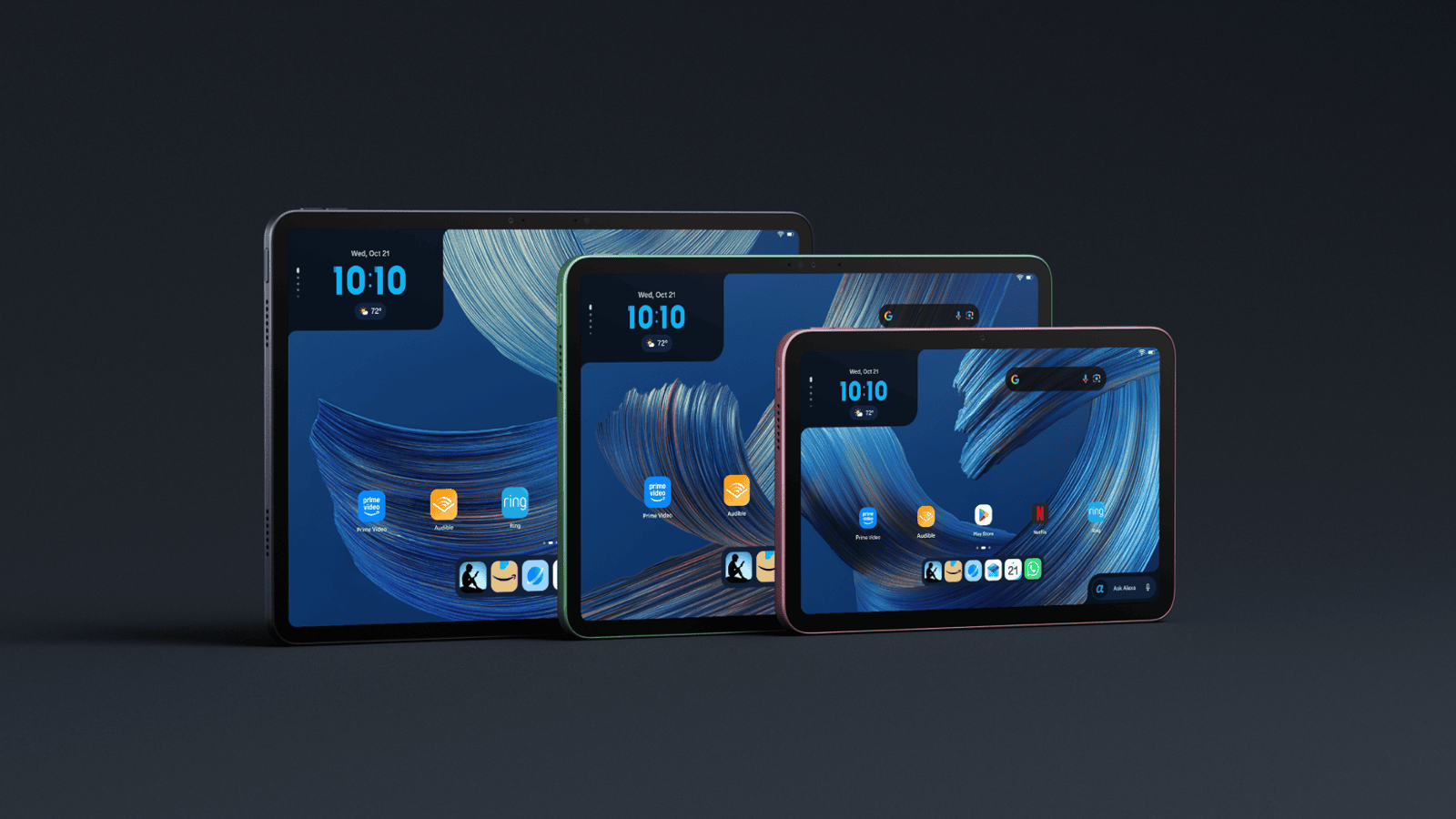
Amazon has an entirely new family of tablets
Amazon has unveiled an entirely new family of Alexa Tablets, and I recently got an early look at them. Their tablet strategy is having Alexa+ built directly into the tablet experience, while Amazon is also opening things up with Android and full access to the Google Play Store. That makes these devices quite different from the Fire tablets we've traditionally associated with Amazon.
Meet the new Amazon Alexa Tablets
There are three models in Amazon's new lineup: the Amazon Alexa Tablet 12 Pro, Alexa Tablet 11 and Alexa Tablet 8. Prices start at $229.99 for the Tablet 8, $329.99 for the Tablet 11 and $499.99 for the flagship Tablet 12 Pro.
All three have aluminum designs, run Android and include access to the Google Play Store, meaning you can install familiar apps including YouTube, Netflix, Gmail and Google Docs. Amazon's own services, including Prime Video, Kindle, Audible and Amazon Music, are integrated as well.
For me, Google Play access is one of the biggest changes here. It makes these feel much more like conventional Android tablets rather than devices designed primarily around Amazon's ecosystem. Strategically, that was a great move because this will appeal to a lot of people.
Alexa+ in an Android device
The most interesting part of these tablets is a name most people will be familiar with: Alexa. Amazon has built Alexa+ into the core of the tablet experience rather than treating the assistant as another app. In other words, Alexa is embedded inside an Android tablet. You can say "Alexa" or tap the Ask Alexa button while using the tablet and ask questions without having to leave whatever you're doing. Alexa+ can also control compatible smart-home devices and personalize its responses based on your preferences.
There's also something Amazon calls On-Screen Intelligence. When enabled, Alexa+ can understand what's currently displayed on the tablet and use that information as context. In the briefing, a webpage on a NYC wine bar was on the screen and Alexa was able to add into a calendar. I use Alexa+ a lot in my home to add things into my calendar so this example resonated with me. Another example is looking at an email for your kids' sports schedule and asking Alexa to add the dates to your calendar. Of course, many people may have privacy concerns with such a feature. Amazon says On-Screen Intelligence is turned off by default and requires users to opt in. There's also a visual indicator when Alexa can access the screen.
The voice-assistant battle has become an AI battle
For years, voice assistants were mostly used to set timers, check the weather, play music and control smart-home devices. People tried but, but most people never incorporated it into their daily lives. But we now live in the era of Generative AI which is changing what people expect from voice assistants. Instead of memorizing a specific command, users expect an assistant to understand everyday language, remember context, answer follow-up questions and help complete more complicated tasks. That puts Amazon in competition with a new generation of AI platforms like ChatGPT, Gemini, and CoPilot.
Amazon's advantage is that Alexa is already present throughout many homes, controlling everything from lights and thermostats to cameras and televisions. The challenge is taking Alexa from being a useful voice-controlled remote and turning it into an AI assistant people will also use for research, planning and productivity. The new Alexa Tablets could play an important role in that transition. They want people to use their tablet as a productivity device and not just an entertainment device. Here's why I think they are moving Alexa into tablets.
A smart speaker has no screen, while a phone is often being used for something else. A tablet gives Alexa+ a larger visual interface where it can show information, understand what the user is viewing and continue a conversation without forcing the user to jump between different apps. In other words, Amazon is trying to make Alexa+ a layer that sits across the entire tablet experience.
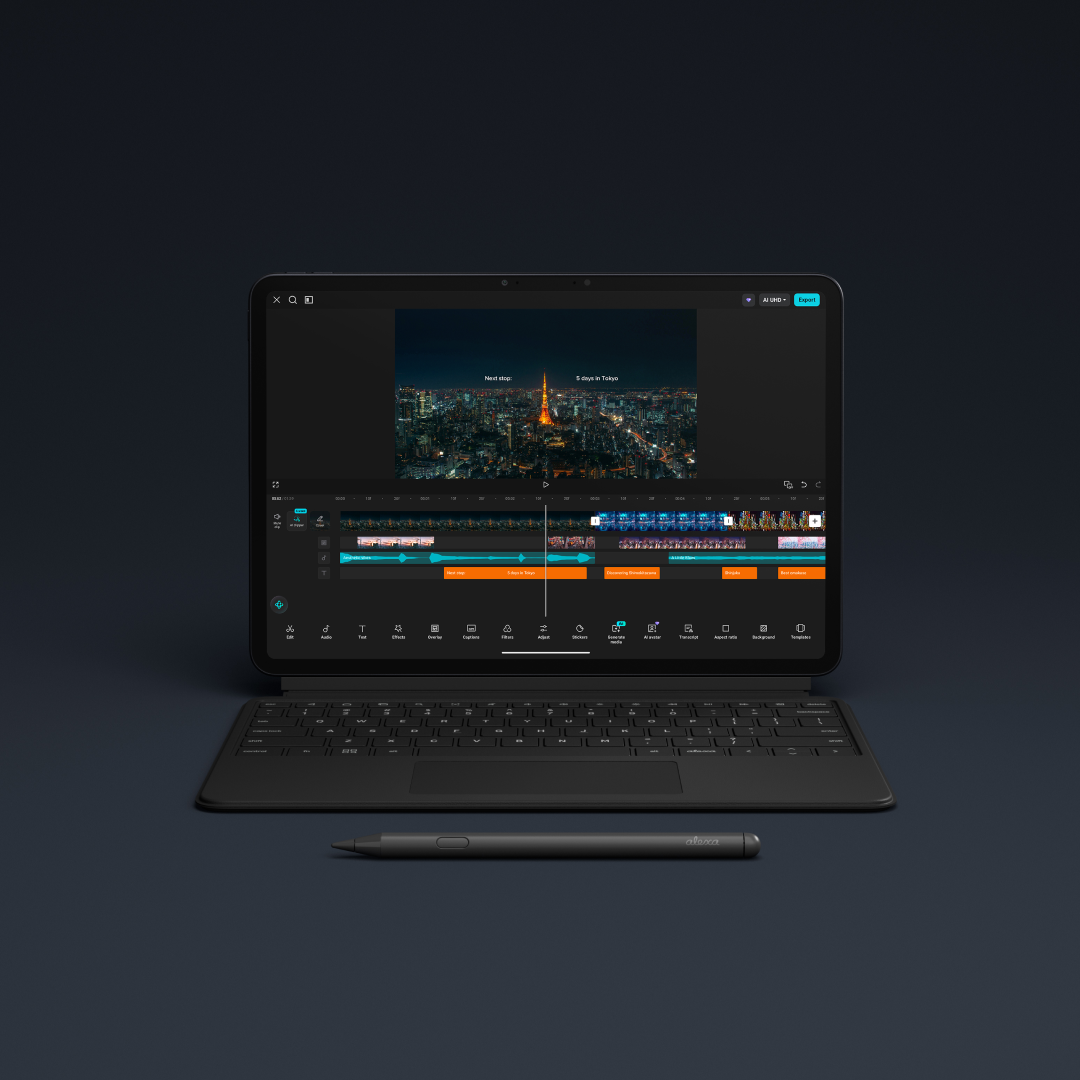
How Alexa fits into the Android tablet experience
One of the biggest limitations of earlier voice assistants was that they often operated separately from what was happening on the screen. You could ask a question, set a reminder or open an app, but the assistant didn't necessarily understand the content you were looking at. Amazon is attempting to change that with Alexa+.
On the new tablets, users can call up Alexa by voice or by tapping the Ask Alexa button without leaving the current app. Live sessions also allow a conversation to continue without repeating the wake word before every question. If users choose to share their screen, Alexa can follow the changing context of what's being displayed. That is where the competition between AI assistants is heading.
In my opinion, the winner of this race will be an assistant that is easiest to access, understands what you're doing and can complete a useful task with the least amount of friction. Amazon already has a strong position inside the smart home. The Alexa Tablets give the company an opportunity to bring that same assistant into entertainment, browsing, reading and productivity.
Amazon is bringing some Kindle DNA into tablets
Another feature that caught my attention is what happens when you start reading. Opening a book in the Kindle app can put the tablet into a distraction-free reading mode. Notifications are silenced, blue light is reduced and Amazon says battery life can stretch to up to 20 hours of reading. The tablets offer three different display themes for reading, while the 12 Pro's Nanomatte display is designed to provide a more paper-like experience. It's an interesting attempt to bring some of what people like about the Kindle experience into a multipurpose Android tablet.
Amazon is also betting on AI for kids
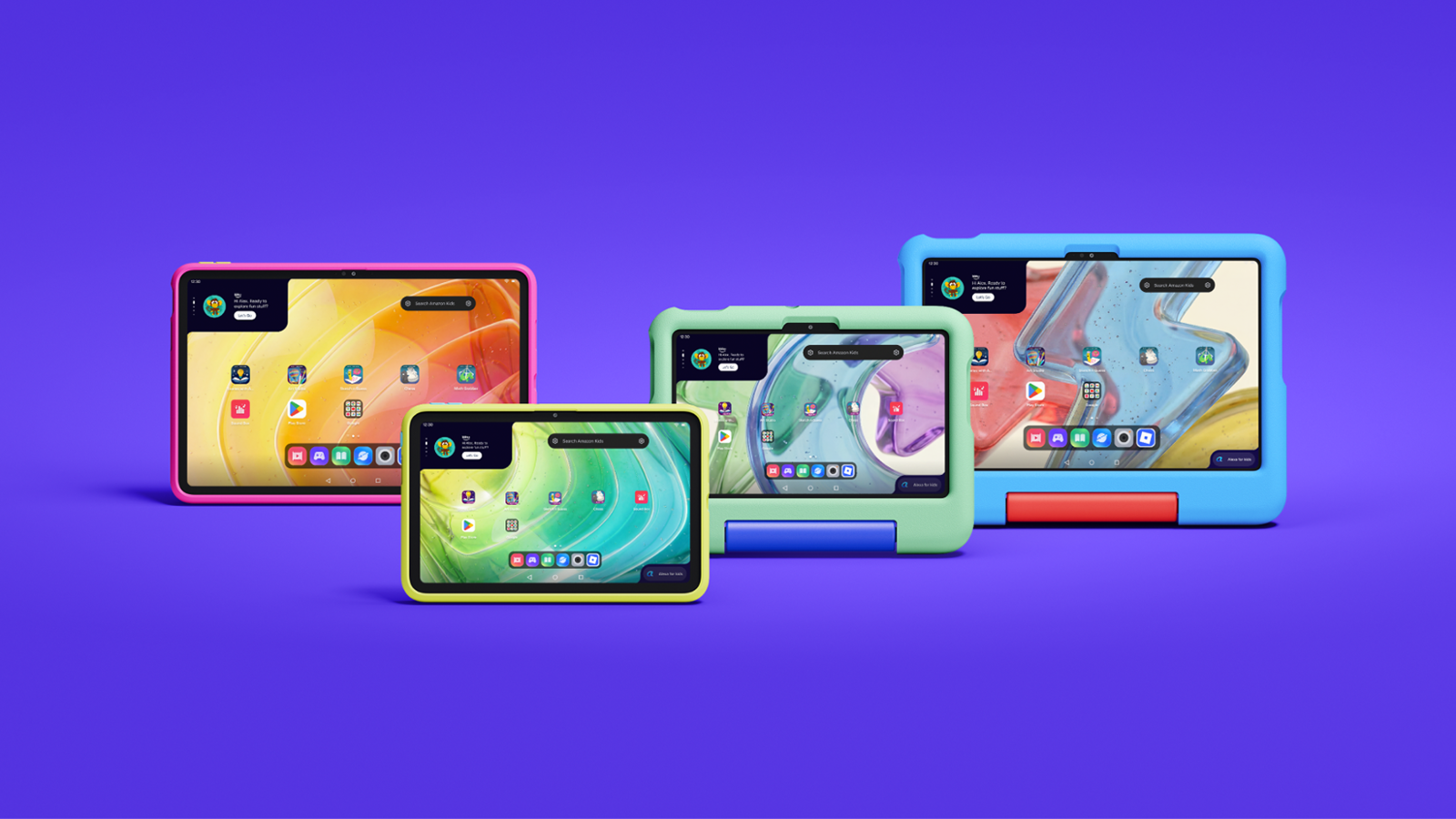
Alongside the Alexa Tablets, Amazon announced a new generation of Amazon Kids Tablets. They're available in 8.7-inch and 11-inch sizes, with versions designed for children ages 3+ and 6+. Each bundle includes the tablet, a protective case and one year of Amazon Kids+. They also run Android, and parents can manage access to Google Play through Amazon's Parent Dashboard. The dashboard allows parents to manage screen-time limits, content, web browsing and activity from the tablet or remotely through the Parent Dashboard app.
Kids are growing up with AI as part of everyday life
The new Amazon Kids Tablets raise another important question: what role should AI play in a child's first experiences with technology? For many children, AI won't feel like a new or unusual technology. It will simply be part of the devices, apps and learning tools they grow up using. What's interesting here is that Amazon is introducing AI through creativity rather than positioning it only as a tool that supplies answers. Its new Storybuilder experience allows children to use their voice to develop characters, plot twists and imaginary worlds. Those ideas can then be turned into illustrated stories and comic books that children can share with their families. Amazon says the experience includes age-appropriate guardrails.
I think that distinction is important. One concern around generative AI in education is that it can do too much of the thinking for a child. If an AI tool simply writes the entire story, solves the problem or produces the finished project, the child may miss the creative process. Storybuilder has the potential to work differently by using the child's voice and imagination as the starting point.
A child can invent a character, decide what happens next and explore different directions for a story. AI then becomes a tool for bringing those ideas to life, especially for younger children who may have strong imaginations but haven't yet developed the writing or drawing skills to fully express them.
When can you buy the new Amazon Alexa Tablets?
The new Alexa Tablets and Amazon Kids Tablets are available to order now and begin shipping October 14, 2026 in Canada, the United States and Mexico. Amazon says the Alexa Tablets will also be available through select retail partners.
The Alexa Tablet 8 starts at $229.99, while the Alexa Tablet 11 starts at $329.99 and the flagship Alexa Tablet 12 Pro starts at $499.99. The Nanomatte version of the 12 Pro starts at $549.99. Note, these prices are in USD. Once they begin shipping, I'll update it with Canadian pricing.
My first take of the new Alexa Tablet
Amazon's tablet announcement shows how quickly the definition of a tablet is changing. It started as an entertainment device, but tablets are becoming a productivity device doing a lot of the stuff people used a laptop for, namely, getting work done.
For adults, Amazon is using Alexa+ to compete in an AI-assistant market that now extends far beyond simple voice commands. With the Alexa Tablet 12 Pro, it's also making a much more serious attempt to compete for premium and productivity-focused users. For children, Amazon is positioning AI as a creative tool that can help turn their ideas and imaginations into stories and artwork.
The hardware matters, particularly when the Alexa Tablet 12 Pro is compared with established products like the iPad Pro. But Amazon's bigger bet is clearly Alexa+. If Alexa+ genuinely helps people accomplish more without getting in the way, these tablets could become an important new home for Amazon's AI ambitions. If it doesn't, they risk feeling like conventional Android tablets with Alexa added on top.
I'm both an Android tablet user and I use Alexa+ everyday in my home. This tablet was made for someone like me. I'll be getting a review device soon and ill update you on the experience of using Alexa+ inside an Android tablet. Stay tuned for that review and don't forget to subscribe to the YouTube channel for future videos.